




Pega Autopilot
Our Take After Putting It to the Test
We started our Pega project spending significant time crafting a detailed Blueprint before importing it into App Studio. The goal was clear: do the heavy lifting upfront and minimize configuration work inside Pega. When we imported it, seeing our case types, data types, and Agile Workbench populated with user stories felt like a win. Then we decided to analyze Pega GenAI™ Autopilot.
Our team wanted to understand whether this generative AI tool could genuinely accelerate development or if it was just hype. We put it through real-world scenarios, asked it tough questions, and documented where it excelled and where it fell short.
Here is what we learned.
What Pega Autopilot Does Really Well
Data Type Creation
Data Type creation is where Pega Autopilot shines. In seconds, it generated complete data types with properties and correct property types that would have taken us considerably longer to build manually. The speed is undeniable. We could specify the number of mock records we needed and watch as tables populated automatically. This is a mature functionality that delivers real value. To perform this task we need to be in the correct context. So be sure you have data type submenu opened.

Solid guidance
The tool also provides solid educational guidance. When we were unsure how to build specific features, Pega Autopilot offered Pega concepts and recommendations that helped unblock our development. For teams still building their Pega expertise, this aspect alone could justify using the tool.
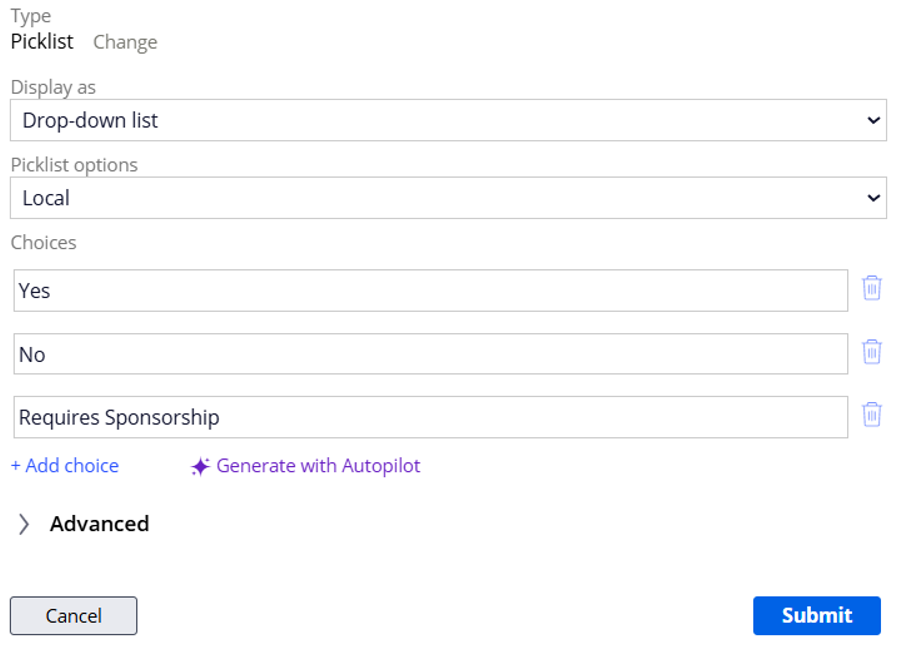
Picklists
Picklist suggestions became genuinely useful. Pega Autopilot analyses the property name and recommends appropriate values for that specific picklist. It is not perfect, but it provides a solid starting point that speeds up configuration.

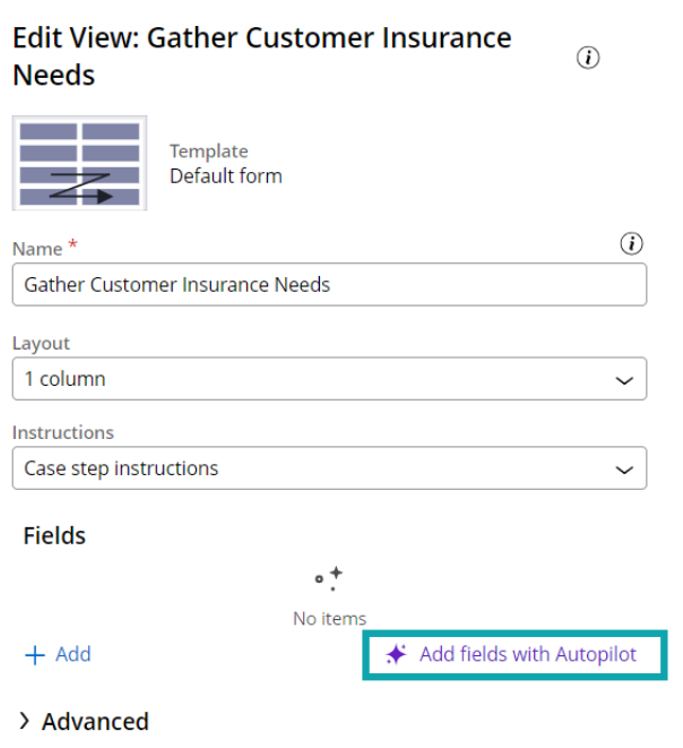
View Fields
The tool also makes intelligent recommendations for fields in a view. When building collect steps, it suggests which fields should appear based on the step name and context. These suggestions felt more thoughtful than generic, showing an understanding of common patterns in case design.
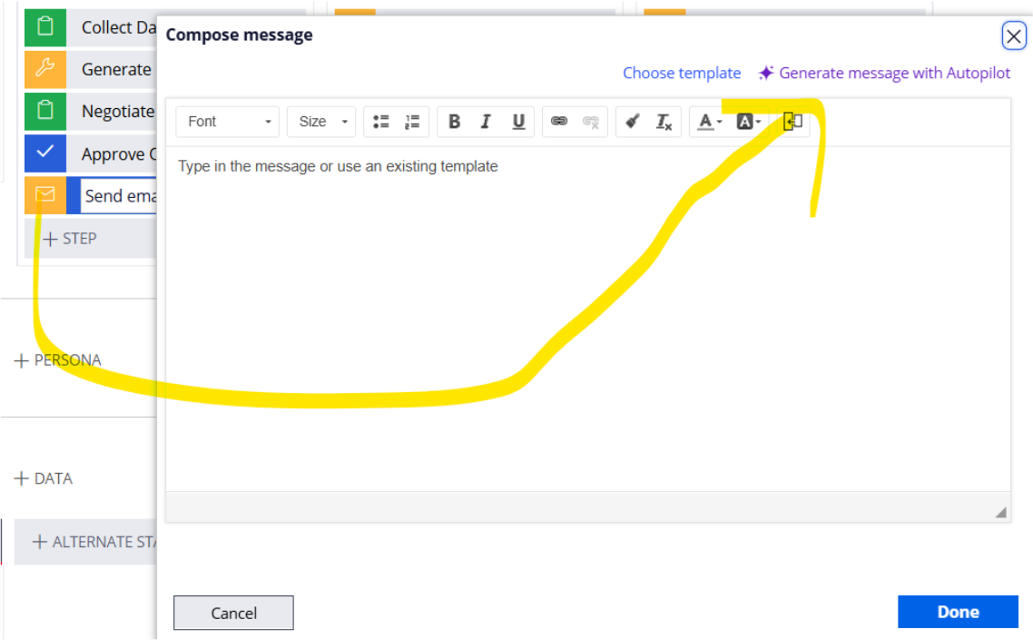
Email Steps
Email step creation is another time saver. Pega Autopilot generates new email content with appropriate placeholders already inserted. It understands which data fields need to be dynamic and structures the content accordingly.
Where It Shows Promise But Needs Work
Case Type Generation
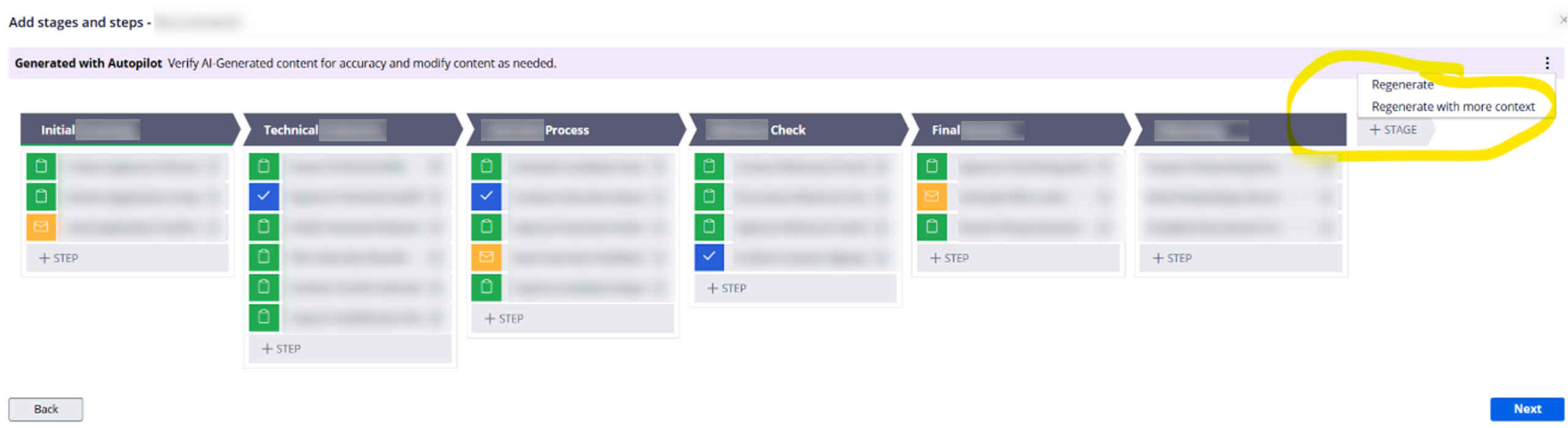
Case Type generation was functional but ultimately limited. Pega Autopilot created stages and steps based on naming conventions, but not in the way we wanted. The logic felt generic and required significant rework to match our specific business processes. This limitation is not desirable if your project demands workflow specificity that generic patterns cannot cover.
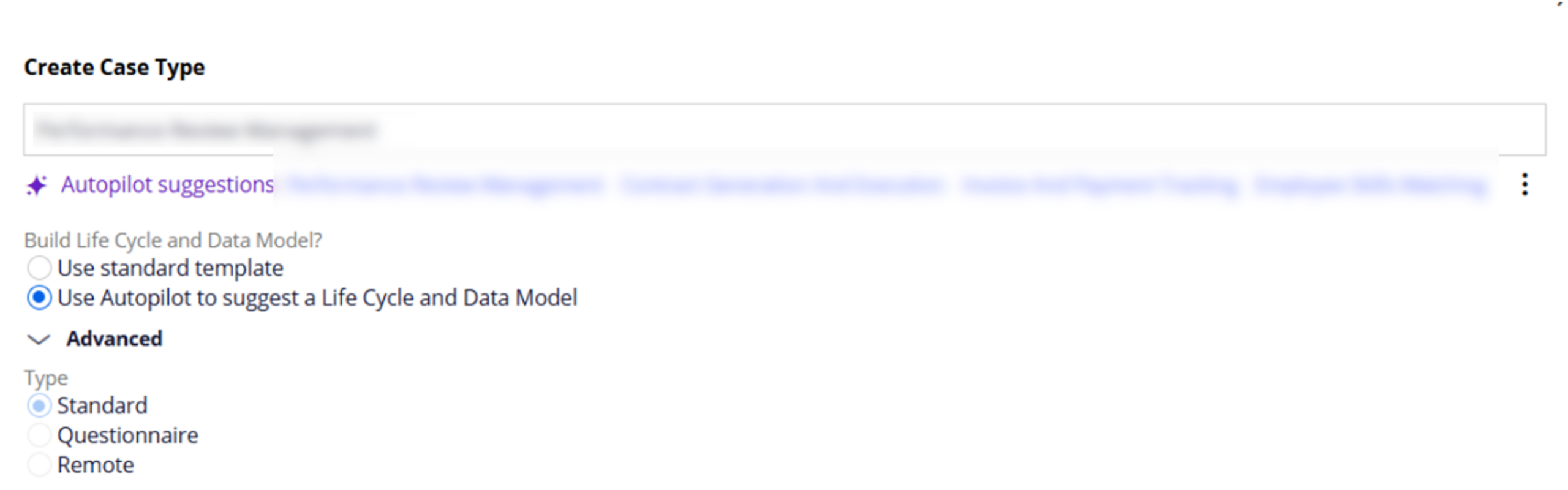
We tested the regeneration feature by providing detailed short and long descriptions to refine the case type. We waited for the tool to adapt to this context, but it did not produce any changes. It is useful for acceleration when you need a basic skeleton quickly. However, for precise case design where workflow specificity matters, manual configuration remains the safer bet.
Picklist Handling
Picklist handling revealed another gap. Pega Autopilot initially generated picklist properties as text types, which meant we had to manually delete and recreate them as proper picklist types before the tool could suggest appropriate values. This extra step negated some of the time savings. We also noticed that all properties created by Pega Autopilot were marked as primary fields, requiring careful review to ensure this was intentional.
What Pega Autopilot Cannot do yet
Here is where things got interesting. We discovered that Pega Autopilot does not modify existing case types or data objects. It only creates new ones. This became a problem because we had already imported our Blueprint, leaving us with half-built objects that Pega Autopilot would not touch.
When we asked Pega Autopilot directly why it cannot update existing structures, it explained the design philosophy: preservation of existing work, risk mitigation, and control. The reasoning makes sense from a platform integrity perspective. Automatic modifications could break dependencies, alter production of business processes, or impact integrated systems. By forcing developers to manually merge suggestions, Pega Autopilot ensures you review and test changes before integration.
This is a thoughtful design, but it creates real tension. We had invested significant time in our Blueprint, only to find that Pega Autopilot could not build upon that foundation. We faced a choice: continue manually modifying our Blueprint-generated framework or start fresh with Pega Autopilot for new objects.
We chose a hybrid approach, keeping our Blueprint case types but using Pega Autopilot to create data objects from scratch. This worked, but it meant maintaining two different workflows and accepting that the tools do not integrate as seamlessly as we had hoped.
The Pega Blueprint Versus Pega Autopilot Reality
Pega Blueprint excels at establishing initial structure and populating Agile Workbench with user stories. It gives you a framework to start with. Pega Autopilot excels at greenfield creation, generating new objects rapidly when you are starting from nothing.
If you want to use both, you need to commit to one approach per object type. You cannot Pega Blueprint a case type and then ask Pega Autopilot to enhance it. This limitation is not clearly documented and caught us off guard.
Multi-Branch Development Considerations
Working in multiple branches revealed a challenge, though this is more about App Studio and Constellation than Pega Autopilot specifically. When two developers used Pega Autopilot simultaneously in different branches, the tool generated identical out-of-the-box rules in both branches. During the merge, we faced conflicts with duplicate rules. We resolved this by keeping one version and removing the duplicates, with no negative effects, but it required extra coordination.
What We Want to See Next
We are excited about Pega Autopilot’s potential, but we want to see it evolve in specific ways. Native picklist support that creates the correct property type from the start would eliminate unnecessary manual steps. Most importantly, we want a safe modification mode that can suggest enhancements to existing objects with clear diff views and rollback capabilities.
The educational aspect shows real promise. If Pega Autopilot could become a true pairing tool that explains why it makes certain recommendations and learns from our corrections, it would be invaluable for team development.
How We Grew as a Team
Beyond the technical findings, this experience matured our team. We learned to adapt when tools did not behave as expected. We made collective decisions about architecture mid-stream, weighing speed against control. We navigated the complexity of using multiple development approaches simultaneously.
Our Verdict
Autopilot is worth using, but with clear eyes. For creating new data types, it delivers real acceleration. The tool works best when you understand its additive-only philosophy and plan your development approach accordingly.
We will definitely use it again, specifically for greenfield data modelling. We would not rely on it for Case Type design or expect it to enhance our Blueprint work.
The future is promising, but we are still in the early-mid chapters of this story.